Windows 沙箱
Windows 系统沙箱
Lybic Windows 沙箱提供了一个隔离的云端Windows操作系统环境,允许用户在其中运行和测试代码,而不会影响主机系统。本文将介绍其主要功能及如何使用 Lybic Windows 沙箱。
沙箱规格
标准用户可以选择不同的规格来满足其计算需求。以下是当前可用的 Windows 沙箱规格,如果你有额外的配置需求,请联系我们的 商务团队:
| 规格名称 | CPU 核心数 | 内存大小 | 磁盘空间 | ShapeID | 计费倍率 | 适用场景 |
|---|---|---|---|---|---|---|
| 标准Windows10沙箱 | 2 | 4GB | 50GB(约17Gb可用) | beijing-2c-4g-cpu | 1x | 适用于轻量级Agent任务和测试环境 |
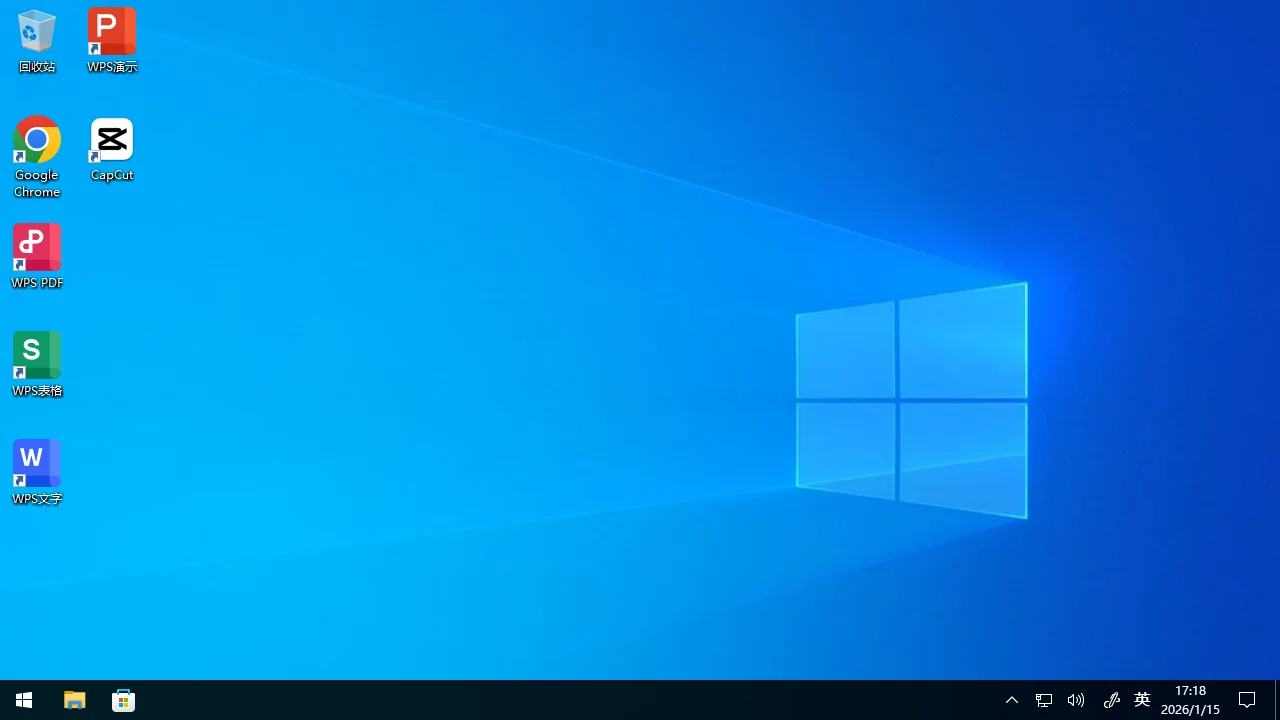
预装软件
Lybic Windows 沙箱预装了一些常用软件,以便用户和智能体能够更方便地进行使用、开发和测试。以下是预装的软件列表:
| 软件名 | 类别 | 版本 | 安装路径 | 启动命令 (如果程序位于环境变量PATH中,则不使用完整路径) | 备注 |
|---|---|---|---|---|---|
| Windows | 操作系统 | 22H2 10.0.19045.6218 | - | - | - |
| Google Chrome | 浏览器 | 131.0.6778.205 | C:\Program Files\Google\Chrome\Application | C:\Program Files\Google\Chrome\Application\chrome.exe | 默认浏览器 |
| WPS Office | 办公软件 | 12.1.0.15374 | C:\Program Files (x86)\Kingsoft\WPS Office | C:\Program Files (x86)\Kingsoft\WPS Office\ksolaunch.exe | - |
| CapCut | 多媒体工具 | 6.5.0.2562 | C:\Users\Administor\AppData\Local\CapCut\Apps | C:\Users\Administor\AppData\Local\CapCut\Apps\CapCut.exe | 视频编辑软件 |
| Visual Studio BuildTools | 开发工具 | 2026(18.1.1) | C:\Program Files (x86)\Microsoft Visual Studio\18\BuildTools | C:\Program Files (x86)\Microsoft Visual Studio\18\BuildTools\VC\Auxiliary\Build\vcvars64.bat | C++ 构建工具,运行bat脚本后激活环境变量和程序 |
| Python | 开发工具 | 3.13.11 | C:\coding\miniconda3 | python pip pip3 uv conda-env conda | 使用 Anaconda 的默认 Python 解释器,安装了 uv 包管理器 |
| Node.js | 开发工具 | 24.12.0 | C:\coding\nodejs | node npm npx corepack | JavaScript 运行时 |
| Java | 开发工具 | 25.0.0 | C:\coding\jdk | java javac javadoc javap jcmd jconsole jdb jfr jshell | - |
| Golang | 开发工具 | 1.25.5 | C:\coding\go\bin | go gofmt | - |
| Rust | 开发工具 | 1.92 | C:\coding\rust | cargo rustc rustdoc rustfmt rust-analyzer rust-gdb rust-lldb | - |
| Playwright | 开发工具 | 1.57 | C:\coding\nodejs\node_modules\playwright | playwright | 已经携带完整无头浏览器,无需调用 install 命令 |
| 7-Zip | 压缩工具 | 24.09 | C:\Program Files\7-Zip | 7z | - |
| Git | 版本控制 | 2.52.0 | C:\coding\git\cmd | git | - |
| ash shell | Shell | Busybox 1.36 | 通过 Git - Busybox 提供 | ash | 轻量级 Unix shell |
| cURL | 网络工具 | 8.13 | C:\Windows\System32\curl.exe | curl | - |
| SSH Client | 网络工具 | 9.8p1 | C:\Windows\System32\OpenSSH\ | ssh | SSH 客户端 |
| rclone | 网络工具 | 1.72.1 | C:\coding\binary\rclone | rclone | 云存储命令行工具 |
| WinFSP | 文件系统 | 2.0.23075 | C:\Program Files (x86)\WinFsp | - | 用于文件系统挂载的驱动程序 |
| Selenium Server | 开发工具 | 4.40.0 | C:\coding\binary\selenium-server.jar | java -jar C:\coding\binary\selenium-server.jar standalone | 浏览器自动化服务器 |
使用 Windows 沙箱
你可以在控制台或通过 Lybic API(SDK) 来创建和管理 Windows 沙箱实例。创建沙箱后,你可以通过lybic控制台,lybic串流SDK或lybic串流iframe可
交互的连接到Windows桌面环境,进行代码编写、测试和调试。